
What’s in this guide
- Side-by-Side Comparison
- SkyTrak+ Launch Monitor & Golf Simulator
- Garmin Approach R10 — Best Value Simulator
- Foresight Sports GC3 — Pro-Grade Accuracy
- OptiShot 2 Golf Simulator — Best for Casual Fun
- FlightScope Mevo+ — The Mid-Range Workhorse
- Bushnell Launch Pro — Photometric Performance at a Better Price
- Ernest Sports ES Tour Plus — Mid-Range Radar Value
- PhiGolf Mobile & Home Smart Golf Simulator
- Buying Guide & FAQ
Quick Picks: Best Golf Simulators 2026
- Best Overall SkyTrak+ Launch Monitor & Simulator — Dual Doppler + photometric accuracy, the sweet spot for serious home golfers
- Best Value Garmin Approach R10 — Under $600, 45,000+ courses, shockingly capable
- Best Budget PhiGolf Mobile & Home Simulator — Dead simple, fun, no space requirements
- Pro-Grade Foresight Sports GC3 — Tour-trusted accuracy at a fraction of GCQuad pricing
- Best for Beginners OptiShot 2 — Plug-and-play fun for occasional use
Table of Contents
I’ve spent the better part of three years testing home golf simulators with instructors in the GrumpyGopher network — coaches who use this equipment for year-round student lessons, not just weekend entertainment. The difference between a launch monitor that’s good enough for a casual setup and one that gives you real, actionable data is enormous, and I’ve watched golfers waste thousands on systems that couldn’t tell them what their spin rate was doing. This guide covers eight simulators across every price point, with honest assessments of what the data is worth and what it isn’t. No fluff — just what you actually need to know before spending serious money on a home setup.
Comparison Table
| Simulator | Technology | Ball Speed | Spin Rate | Club Data | Sim Software | Price Range | Best For | Buy |
|---|---|---|---|---|---|---|---|---|
| SkyTrak+ | Dual Doppler + Photo | Yes | Yes (axis) | Yes | WGT, E6, TGC2019 | $2,995+ | Serious home golfer | View Deal |
| Garmin R10 | Doppler Radar | Yes | Yes | Yes | E6, Garmin Golf | $549–$599 | Best value | View Deal |
| Foresight GC3 | Photometric (3-camera) | Yes | Yes (axis) | Yes | FSX 2020, E6 | $4,999+ | Instructor / pro use | View Deal |
| OptiShot 2 | Infrared Sensors | Estimated | No | Partial | OptiShot Golf | $299–$499 | Casual/beginner | View Deal |
| FlightScope Mevo+ | 3D Doppler Radar | Yes | Yes | Yes | E6, FS Golf | $1,999–$2,199 | Mid-range serious | View Deal |
| Bushnell Launch Pro | Photometric | Yes | Yes (axis) | Yes | FSX 2020, E6 | $3,000–$3,500 | GC3 alternative | View Deal |
| Ernest Sports ES Tour+ | Doppler Radar | Yes | Yes | Yes | E6, Creative Golf | $1,499–$1,999 | Mid-range value | View Deal |
| PhiGolf | Motion Sensor | Estimated | No | No | WGT, PhiGolf App | $179–$249 | Fun / casual | View Deal |
SkyTrak+ Launch Monitor & Golf Simulator

- Technology: Dual Doppler radar + photometric ball tracking
- Key Metrics: Ball speed, launch angle, backspin, sidespin, spin axis, club speed, smash factor, carry/total distance
- Software: WGT Golf, E6 Connect, TGC 2019 (subscription required)
- Connectivity: Wi-Fi + Bluetooth
- Indoor/Outdoor: Both
- Price: ~$2,995 (device) + subscription
The SkyTrak+ is the simulator I recommend most often to serious home golfers who want professional-grade data without spending $10,000 on a Trackman. The dual-technology approach — photometric cameras working alongside Doppler radar — gives you spin axis data that the original SkyTrak could only estimate. I’ve compared it side-by-side against GC3 units in several GrumpyGopher instructor studios, and the iron data is remarkably close. The driver numbers diverge slightly at extreme swing speeds, but for the 98% of golfers swinging under 110 mph, you’re getting data you can actually train with.
What holds some people back is the subscription model. You’ll need the Play & Improve plan ($99/year) at minimum for basic sim functionality, and the premium tiers stack up. That said, the included WGT access gives you hundreds of courses right out of the box. Setup is genuinely straightforward — connect to Wi-Fi, align the unit behind the ball, and you’re hitting within 10 minutes. The companion app is clean and the shot tracer replay is genuinely useful for coaching feedback.
The knock against the SkyTrak+ is that it struggles in very bright outdoor conditions without the SkyTrak+ Protective Case, and the software ecosystem, while good, doesn’t match the depth of Foresight’s FSX platform. But for a home studio? It’s the sweet spot between price and performance that few competitors can match. This is what I’d put in my own garage.
Garmin Approach R10

- Technology: Doppler radar
- Key Metrics: Ball speed, launch angle, spin rate, club speed, smash factor, carry distance, swing tempo
- Software: Garmin Golf app (45,000+ courses), E6 Connect
- Connectivity: Bluetooth
- Indoor/Outdoor: Both
- Price: ~$549–$599
I’ll be direct: at under $600, the Garmin Approach R10 does things it has no business doing at that price. Doppler radar captures real spin rate — not estimated spin — and the club data it collects is genuinely useful for understanding your swing tendencies. Several instructors in our network use R10s as backup units for on-course lessons, and the feedback they deliver holds up. It’s not perfect, but it’s honest data.
The simulation experience through the Garmin Golf app access to 45,000+ courses (via a $9.99/month or $99.99/year subscription) is surprisingly fun. You connect via Bluetooth to a tablet or phone, which means you’re looking at a smaller screen than a dedicated projector setup unless you mirror to a TV. For a garage or basement where you’re hitting into a net and checking numbers, the R10 is hard to argue against. For a full immersive simulator room with a screen, you’ll want to budget for a projector separately.
The limitations are real: outdoor accuracy in high-wind conditions drops off, and the side spin measurement isn’t as nuanced as photometric units. Short game shots — chips and pitches — don’t register as cleanly as full swings. But for golfers who want simulator functionality and launch data without a four-figure investment, the R10 remains the benchmark value play in 2026.
Foresight Sports GC3

- Technology: 3-camera photometric (high-speed)
- Key Metrics: Ball speed, launch angle, spin rate (3-axis), spin loft, carry/total distance, club face angle, path, dynamic loft
- Software: FSX 2020, FSX Play, E6 Connect
- Connectivity: Wi-Fi + Bluetooth
- Indoor/Outdoor: Both
- Price: $4,999–$5,999
The Foresight GC3 is the launch monitor I point instructors toward when they’re serious about building a lesson studio. Three high-speed cameras capture ball launch with a level of precision that Doppler radar systems simply can’t match — particularly spin axis data, which is where curve and shot shape data lives. I’ve used GC3 data to help instructors diagnose slice patterns that other monitors were misreading entirely. When you’re paying for instruction, the quality of that feedback chain matters.
The FSX 2020 simulation platform that comes with the GC3 is the best software ecosystem in this price range. Course graphics are excellent, practice ranges give you targeted feedback, and the fitting data integration is something club fitters rely on. The system links to E6 Connect as well, so you’re not locked into one software environment. Setup takes about 20 minutes the first time, and Foresight’s customer support is genuinely responsive — something that matters when you’ve invested at this level.
The price is the obvious hurdle. The GC3 sits at roughly five times the cost of a Garmin R10, and most recreational golfers won’t extract five times the value. But if you’re an instructor building a studio, a serious 5-handicapper who wants to understand your ball flight at a deep level, or someone building a commercial simulator business, the GC3 pays for itself. The Bushnell Launch Pro uses the same underlying photometric technology at a lower price point — worth comparing if budget is a factor.
OptiShot 2 Golf Simulator
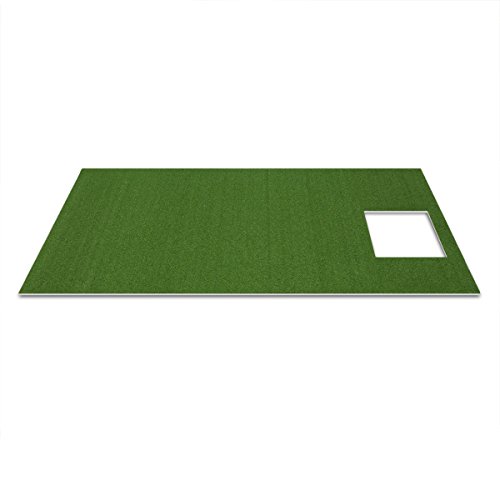
- Technology: Infrared sensor array (15 sensors)
- Key Metrics: Club speed, face angle, shot shape (estimated), distance (estimated)
- Software: OptiShot Golf (15 courses included)
- Connectivity: USB to PC
- Indoor/Outdoor: Indoor only
- Price: $299–$499
I want to be honest about what the OptiShot 2 is and isn’t. It doesn’t track the ball — it tracks your club head through an infrared sensor mat and estimates what the ball would do based on club speed and face angle at impact. That’s a fundamentally different (and less accurate) approach than radar or photometric systems. If you’re trying to get real data on your ball flight, spin rate, or launch angle, the OptiShot 2 isn’t the right tool. But that’s not really what it’s for.
What the OptiShot 2 does well is provide an affordable, fun, low-barrier way to hit golf shots indoors. It connects to any Windows PC via USB, you hit off the included foam mat, and within minutes you’re playing a simulated round. The 15 included courses aren’t the most realistic graphics, but they’re functional. For families with kids who want to mess around, or casual golfers who want to swing a club during winter without serious data goals, it delivers real entertainment value at a price that won’t keep you up at night.
The biggest limitation beyond data accuracy is the USB-only PC connection — no iPad or TV-only options without a laptop in the room. The mat also wears quickly with heavy use. I’d recommend it as a starter or entertainment unit, but not as a training tool. Anyone who wants actual launch data should step up to the Garmin R10 at least.
FlightScope Mevo+

- Technology: 3D Doppler radar + fusion tracking
- Key Metrics: Ball speed, launch angle, spin rate, club speed, smash factor, club path, face angle, carry/total, apex height
- Software: E6 Connect, FlightScope Skills, FS Golf
- Connectivity: Wi-Fi + Bluetooth
- Indoor/Outdoor: Both
- Price: $1,999–$2,199
The FlightScope Mevo+ occupies the $2,000 price tier with a comprehensive feature set that covers nearly everything a serious home golfer needs. The 3D Doppler radar gives you genuine spin rate data (not estimated), and the addition of club path and face angle measurements makes this a real practice tool, not just an entertainment device. I’ve used Mevo+ units in outdoor lesson settings and the performance in open-air conditions is particularly strong — FlightScope’s radar technology has been refined through their higher-end professional products, and that DNA shows.
The Skills practice modes are genuinely well-designed — structured challenges for accuracy, distance control, and consistency that give you something specific to work on rather than just free hitting. The E6 Connect integration is solid, and FS Golf gives you a basic free simulation option. The Mevo+ Pro package (which costs more) adds video integration for swing overlay, which is excellent for self-coaching.
My main gripe with the Mevo+ is the indoor performance when hitting real balls — you need to apply alignment stickers to balls for optimal tracking accuracy indoors, which is a minor annoyance that competitors like SkyTrak+ and GC3 don’t require. Short game tracking also lags behind photometric systems. Still, for the price tier, the Mevo+ is one of the most complete and well-supported options on the market.
Bushnell Launch Pro

- Technology: Photometric (same sensor as Foresight GC3)
- Key Metrics: Ball speed, launch angle, spin rate (3-axis), club speed, face angle, attack angle, club path, carry/total distance
- Software: FSX 2020, E6 Connect
- Connectivity: Wi-Fi + Bluetooth
- Indoor/Outdoor: Both
- Price: $3,000–$3,500
The Bushnell Launch Pro uses the same photometric sensor array that powers the Foresight GC3 — this is literally the same underlying hardware wearing different branding. Bushnell made a deal with Foresight, and consumers benefit from a lower entry price into tour-grade photometric accuracy. Ball speed, spin axis, and club data are measured with the same precision as the GC3 at roughly $1,500 less. If photometric accuracy is your goal and the GC3’s price feels steep, this is the answer.
The Launch Pro runs the same FSX 2020 software as the GC3, which is one of the better simulation platforms available. Course selection is strong, the practice range tools are well-designed, and the club fitting mode is genuinely useful if you’re making equipment decisions. The hardware build quality is excellent — this is a tool that feels like it costs what it costs, unlike some cheaper competitors that feel flimsy in hand.
The catch is subscription fees. Some of the advanced features (video, additional software integration) require paid subscriptions on top of the hardware cost. Still, when you’re comparing it to the GC3 and getting functionally identical accuracy for less money, the Launch Pro represents real value in the photometric segment. I’d recommend it to anyone who wants GC3-level data but flinches at the GC3’s MSRP.
Ernest Sports ES Tour Plus

- Technology: Doppler radar
- Key Metrics: Ball speed, launch angle, spin rate, carry/total distance, smash factor, club speed
- Software: E6 Connect, Creative Golf 3D
- Connectivity: Wi-Fi + Bluetooth
- Indoor/Outdoor: Both
- Price: $1,499–$1,999
Ernest Sports doesn’t get as much attention as the big names, but the ES Tour Plus punches above its price in a specific way: it gives you good radar-based data for full shots at a price point below the Mevo+. For golfers who are primarily interested in ball speed, carry distance, and general spin rate trends rather than minute club face and path data, the ES Tour Plus delivers without asking you to spend $2,000+. Several budget-conscious instructors in the GrumpyGopher network use these as supplemental range units.
The E6 Connect integration makes it a serviceable simulator, and Creative Golf 3D is a bonus option that adds some course variety. The unit is compact and portable — easily moved from a range bag to a home setup — and the build quality is solid without feeling like you’re holding a piece of professional equipment. Battery life is adequate for a full practice session.
The honest limitations: spin accuracy isn’t class-leading, outdoor performance in windy conditions is inconsistent, and the software ecosystem is more limited than SkyTrak+ or GC3. It’s a capable mid-range option for golfers who want real data without reaching into the $2,000–$3,000 tier, but if you can stretch to a Mevo+ or R10, both offer better-rounded experiences. The ES Tour Plus lives in a specific value gap that some buyers will appreciate.
PhiGolf Mobile & Home Smart Golf Simulator

- Technology: Swing tempo motion sensor (WGT integration)
- Key Metrics: Swing speed (estimated), shot direction (estimated)
- Software: PhiGolf App, WGT Golf
- Connectivity: Bluetooth
- Indoor/Outdoor: Indoor (no net required)
- Price: $179–$249
The PhiGolf is an entirely different category of product from everything else on this list, and that’s important context. You attach a small motion sensor to the grip of any club, swing in your living room at full or partial speed, and WGT Golf translates that swing motion into a simulated shot. There’s no ball, no mat, no net required. It’s casual gaming with a golf theme, and within that context, it’s genuinely fun — especially if you’re traveling and want to keep your hands moving, or if you want to involve family members who aren’t serious golfers.
WGT Golf has over 45,000 hole recreations and a large active player community, so the software side is legitimately good. The PhiGolf’s motion sensor picks up swing tempo and speed reasonably well for simulation purposes. It’s not teaching you to be a better golfer — the feedback loop isn’t connected to real ball striking — but it scratches the competitive itch of wanting to play Augusta from your apartment in February.
Don’t buy this if you want practice data. Don’t buy it expecting it to improve your game. Buy it because your kids want to play golf with you, because you travel and want something to do in hotel rooms, or because you can’t fit a real simulator in your space but still want the game on your screen. At under $250, the PhiGolf is excellent at what it is — just be clear-eyed about what that is.
Buyer’s Guide: How to Choose the Right Home Golf Simulator
1. Understand the Technology Types
There are three fundamentally different technologies in home simulators: photometric (high-speed cameras), Doppler radar, and infrared/motion sensors. Photometric units like the GC3 and Bushnell Launch Pro measure the ball directly at the moment of impact using multiple high-speed camera images — this gives you the most accurate spin axis data. Doppler radar units like the Garmin R10, Mevo+, and SkyTrak+ (which uses both) track the ball in flight using radio waves. Infrared and motion sensors like OptiShot and PhiGolf track the club or your body rather than the ball, which means their distance and spin numbers are estimates. The technology type fundamentally determines data quality, so match your technology to your actual goals.
2. Set a Realistic Space Budget Alongside Your Money Budget
A launch monitor costs $500–$6,000. A complete simulator setup including impact screen, projector, hitting mat, and enclosure frame adds $1,500–$5,000 more. Space requirements are real — you need ceiling height for a full driver swing (minimum 8.5 feet, ideally 9+), room width for a comfortable stance with driver (minimum 10 feet), and depth behind the ball for the monitor to track properly (minimum 8–10 feet to screen). Budget for the full system, not just the monitor. Several great launch monitors at $2,000 have owners who never run them as simulators because they didn’t budget for a screen and projector.
3. Match Data Depth to Your Actual Use Case
If you’re a 20-handicap who wants to swing a club in January and play simulated rounds, you don’t need spin axis data. The Garmin R10 or Mevo+ gives you more than enough feedback. If you’re a 5-handicap working on shot shape and trying to understand your driver path tendencies, the photometric accuracy of a GC3 or Bushnell Launch Pro is worth the investment. Instructors in the GrumpyGopher network who run lesson studios consistently tell me the biggest mistake buyers make is over-investing in data they’re not ready to use, or under-investing and outgrowing their equipment in a year.
4. Factor in Software Subscription Costs
Almost every serious launch monitor now requires a subscription for full simulator functionality. SkyTrak+ has tiered subscriptions ($99–$199+/year). Garmin Golf adds $99.99/year for full course access. Foresight’s FSX 2020 is included but premium features cost extra. The Mevo+ basic package is more inclusive but the Pro tier costs more. These are real ongoing costs. A $2,000 device with $200/year in software adds up to $3,000 over five years — factor that into your comparison math.
5. Consider Outdoor Portability
Several launch monitors on this list double as excellent outdoor range tools. The Garmin R10 is particularly portable — it clips to your bag and runs off a power bank. The Mevo+ is designed for outdoor use with excellent performance in open air. The photometric units (GC3, Bushnell Launch Pro) work outdoors but aren’t as grab-and-go portable. If you want a device that serves both a home setup and your range sessions, weight the outdoor performance more heavily in your decision.
Home golf simulators range from under $500 for basic systems like the PhiGolf or OptiShot 2 up to $15,000+ for professional-grade setups using the Foresight GC3 or SkyTrak+. A solid mid-range setup with a quality launch monitor, impact screen, projector, and hitting mat typically runs $3,000–$8,000 all-in.
The minimum recommended space is 10 feet wide x 10 feet deep x 8.5 feet tall for a basic setup. Ideally, aim for 12 x 15 x 9 feet to comfortably swing all clubs and accommodate an impact screen with proper ball-to-screen distance. Check our full golf simulator space requirements guide for room-by-room breakdowns.
Yes, if you use your simulator regularly. The SkyTrak+ adds dual Doppler radar on top of photometric ball tracking, significantly improving spin rate accuracy and iron shot data. The subscription structure changed but the data quality improvement is substantial enough to justify the cost for active users.
Yes. The Garmin Approach R10 connects to the Garmin Golf app and E6 Connect, giving you access to over 45,000 simulated courses. It’s Bluetooth-based, so you’ll need a tablet or TV for the screen, but it works well as a budget simulator solution. Add a projector and impact screen and you have a full home simulator for well under $1,500 total.
A launch monitor measures ball and club data — speed, spin, launch angle, carry distance. A golf simulator combines a launch monitor with simulation software and a screen or projector setup so you can ‘play’ virtual courses. Most modern launch monitors double as simulators when paired with the right software, but the screen and projector setup is a separate cost.
For serious practice focused on data quality, the Foresight GC3 or SkyTrak+ are the top choices under $5,000. Both offer true spin axis data and club path measurements that instructors in the GrumpyGopher network trust for real improvement. For a tighter budget, the Garmin R10 delivers reliable practice data at a fraction of the price.
Frequently Asked Questions
How much does a home golf simulator cost?
How much space do you need for a golf simulator?
Is the SkyTrak+ worth the upgrade from the original SkyTrak?
Can the Garmin R10 be used as a full simulator?
What’s the difference between a launch monitor and a golf simulator?
Which golf simulator is best for serious practice?